

Storyboarding as a UX Designer
One of the most intimidating parts of being an Associate UX Designer is leading client meetings about ideas and interactions. How do you communicate concepts clearly, acknowledge client needs, use your expertise to guide decisions, and keep the conversation focused? There is no universal formula because every client is different, but one tool consistently helps me simplify these conversations: storyboarding.
Why Storyboarding Works
Storyboarding is a visual way to tell a story through a sequence of panels, similar to a comic strip. While it is common in film and animation, it is just as powerful in UX design. Why? Because clients often struggle to focus on interactions when looking at wireframes or mockups. They zero in on UI details—colors, fonts, buttons—when the real conversation should be about user flow and experience.
Storyboarding shifts the focus from screens to scenarios. It helps clients see the bigger picture without getting lost in visual details. There is a time for wireframes, but when the goal is to communicate concepts and interactions, storyboarding is often the better tool.
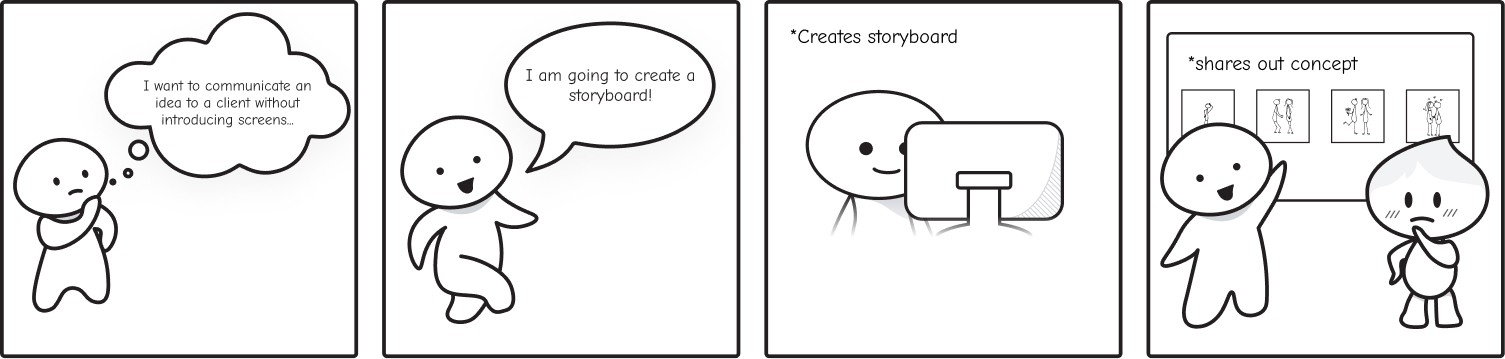
How to Create a Storyboard
You can break the process into five simple steps:
- Define the concept you want to share.
- Create a simple character that represents the user. Keep it generic and easy to draw to avoid distractions.
- Map the story at a high level. Focus on the user’s journey, not UI details.
- Sketch simple illustrations for each step. Leave out intricate design elements.
- Add dialogue or annotations to clarify actions and context.
The goal is clarity, not perfection. A quick, rough storyboard can communicate more than a polished mockup when the conversation is about interactions.

Using Your Storyboard in Client Meetings
Start the meeting with the storyboard ready. Present it like a story—walk through the user’s journey step by step. Stay high-level. If the focus is on interaction, avoid diving into UI specifics.
This approach signals to the client that you are seeking feedback on the experience, not the interface. In my experience, this leads to more useful feedback. One client even asked for a copy of the storyboard to share with their internal team because it helped them communicate ideas at a strategic level.
Beyond Client Meetings
Storyboarding is not just for clients. It is also a valuable tool for aligning design and development. While designers focus on user experience and developers focus on implementation, storyboards create a shared understanding of the user journey. They make abstract ideas tangible, helping everyone see how design decisions connect to real user needs. This clarity fosters collaboration and ensures that both design intent and technical feasibility work together to deliver a better product.
Storyboarding Library
Sketching storyboards can be time-consuming, especially when you need consistency across projects. I solved this by creating a reusable storyboarding library in Figma. I vectorized a character using the pen tool and turned it into a component. Then I added variations to build a full set of reusable elements. Now I can drag and drop components into a storyboard and adjust them quickly, saving hours of work.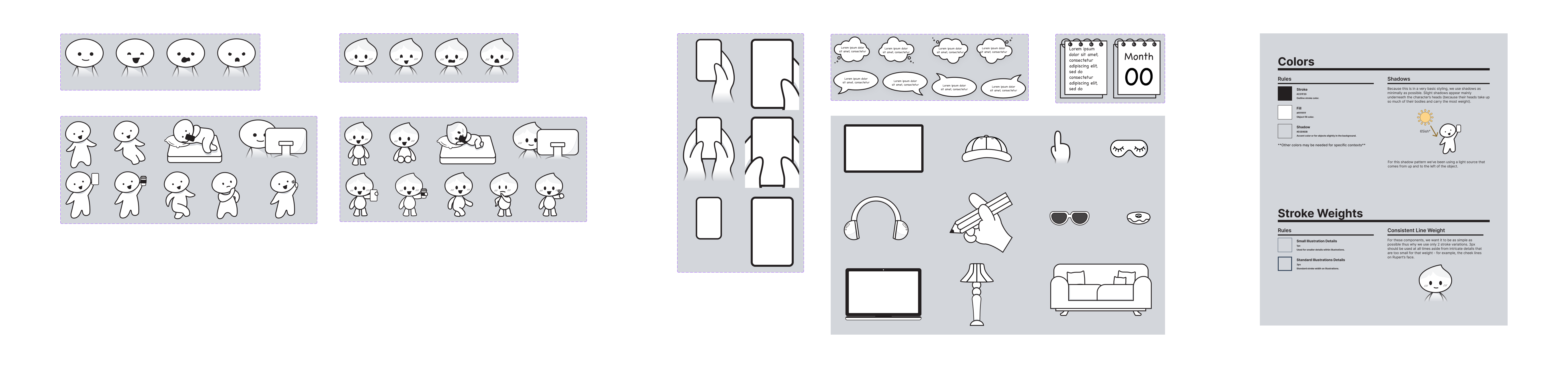
Tell the Story, Not the Screen
There’s no single way to keep design conversations focused, but storyboarding is one of the most effective tools I’ve found. It helps shift attention from static UI details to the flow of user interactions, which often reveals the real value of a product. If the goal is to validate the experience rather than pixel-perfect screens, skip the mockups and start with a story.